Field note · Nov 29, 2022
Is Fleet the New Competitor to Visual Studio Code? Not Overclaiming?
After moving from closed preview to public preview, how good is Fleet IDE, which is said to be a competitor to Visual Studio Code? Can it really compete?

Written by Yanuar AditiaPrincipal engineer · Yan Ad

Who doesn't know JetBrains? This software company has been around the world of IDEs for a long time. They've made many, such as PHPStorm, IntelliJ, WebStorm, RubyMine, GoLand, and even Android Studio. Yes, you heard that right—even though Google owns Android, when it comes to IDEs, they trust JetBrains' technology, and until now, there hasn't been an official Android IDE fully made by Google itself.
In fact, guys, the Kotlin language was also designed and developed by them, so indirectly, they're a big tech company, right? Okay, let's not get too sidetracked talking about JetBrains. What about Fleet? Well, VSCode's dominance as the free code editor for the masses might take time to be challenged, especially since GitHub was acquired by Microsoft, which led to one of their competitors, Atom, being discontinued.
So what's left? Sublime? NPP? VIM? OMG, too few plugins. Sure, they're simple, but not as powerful as VSCode. So what is Fleet? Like most big companies, JetBrains as the parent wants to cover all IDE business lines, one of which is the Polyglot side. What is polyglot? Simply put, it's an IDE that lets you modify and run coding tools in the same application, unlike previous JetBrains IDEs that focused on a single programming language—polyglot covers them all.
Fleet's debut started on November 29, 2021, from https://blog.jetbrains.com/blog/2021/11/29/welcome-to-fleet/, which explained they would release an IDE capable of integrating with all JetBrains services. The good news is, this IDE is said to be free as of this article's writing, so naturally, many are curious about it, especially since JetBrains services are known to be expensive—even costing millions of rupiah for just one IDE.
This brings fresh air for those looking for a VSCode alternative, especially since Fleet has a Smart Mode feature that enables indexing like other JetBrains IDEs out of the box, without needing to install any extensions. So that's a brief overview of JetBrains. Now, is the IDE as good as they say? Hopefully yes, but wait...
How to Install
- Go to the Fleet page at https://www.jetbrains.com/fleet/ and click download
- You will be redirected to the JetBrains Toolbox download page
- Download the application and install
First Impression
By default, Fleet just looks like an ordinary code editor, even more like Sublime Text—there's nothing special like in VSCode. Take a look below:
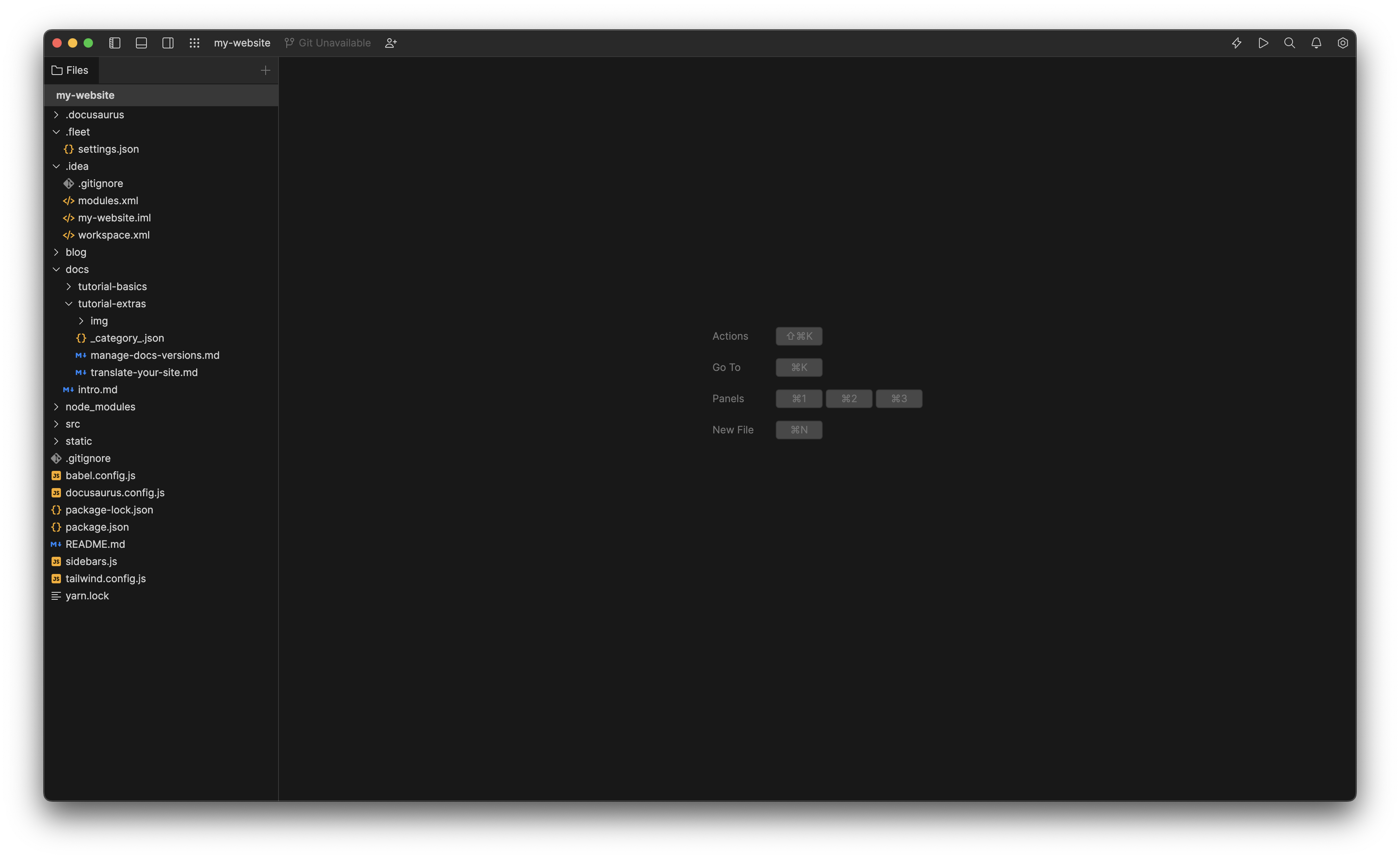
Looks plain, right? But wait, pay attention to the top right toolbar—there's a flash icon like lightning?
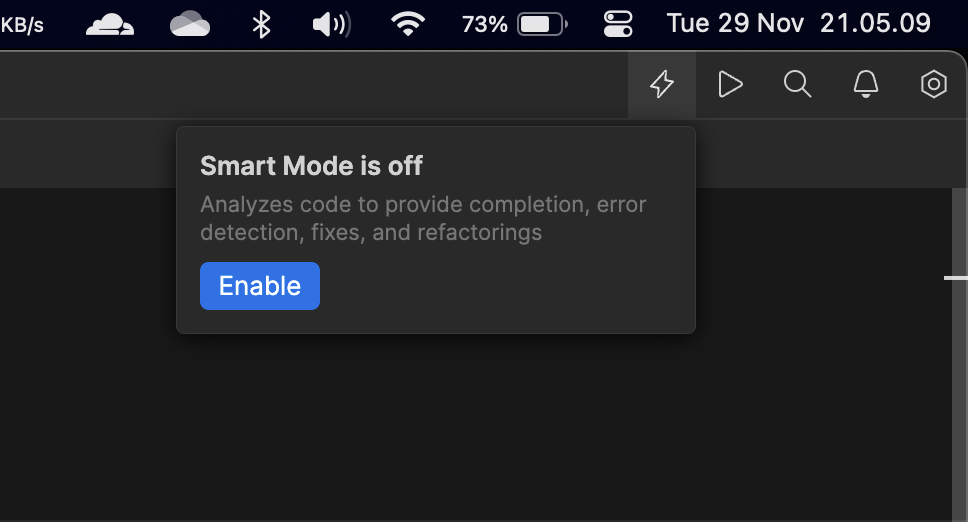
They will sync and index all lines of code, including node modules, to provide suggestions and mapping when developing a project. For now, only a few programming languages are supported by Fleet, but more will be supported in the future. Interested? Read my overall review first.
Overall Review
- The tools and UI are not as familiar as typical JetBrains IDEs
- It takes a bit of time to adjust from VSCode
- The installation process is complicated; you can't go directly to the app. You have to use the toolbox
That's all for my initial experience using Fleet as a JetBrains and VSCode user. In my opinion, there's still a lot to improve, and for now, I can't recommend switching yet. Oh, by the way, Fleet is available for all OS:
- Linux
- Windows
- MacOS
Happy code night ☕️